
Digital Fraud Defender: extra fraud insight for your identity checks


Verifying people remotely has become harder. Image editing tools and AI can now produce identity documents and photos that look convincing at a glance, and a determined fraudster can try again and again with different details until something gets through.
Digital Fraud Defender helps your team spot those attempts. It adds fraud-risk signals to the identity checks you already run in Veremark, so the people reviewing a candidate have more to go on when a submission looks wrong.
What is Digital Fraud Defender?
Digital Fraud Defender is an option you add to Veremark identity verification. When it is switched on for a check, it screens the candidate’s identity submission for signs of digital fraud, such as manipulated images, a document already linked to fraud, or the same face behind several different identities.
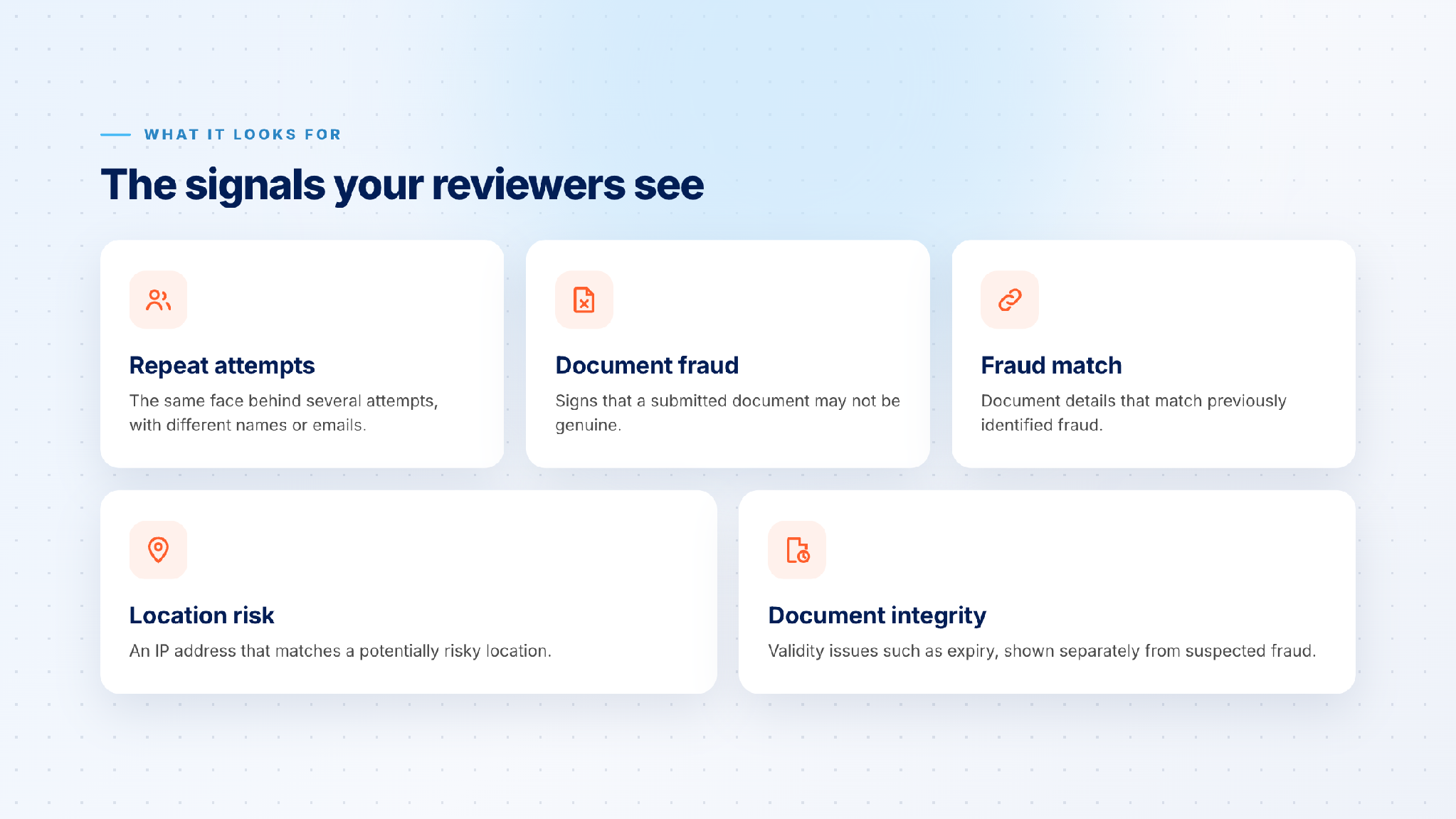
The signals Digital Fraud Defender can raise: repeat attempts, document fraud, fraud match, location risk and document integrity
What it finds appears in the identity check results you already use, with a risk level and the specific signals behind it. Nothing else changes: the candidate completes the same identity check, and your team reviews results the same way.
How it works
1. Tick one box in the criteria builder
Once Digital Fraud Defender has been switched on for your organisation, select Digital Fraud Detection in the criteria builder for eligible identity checks, such as the National ID Check. Save your criteria, and every request using that criteria includes it.
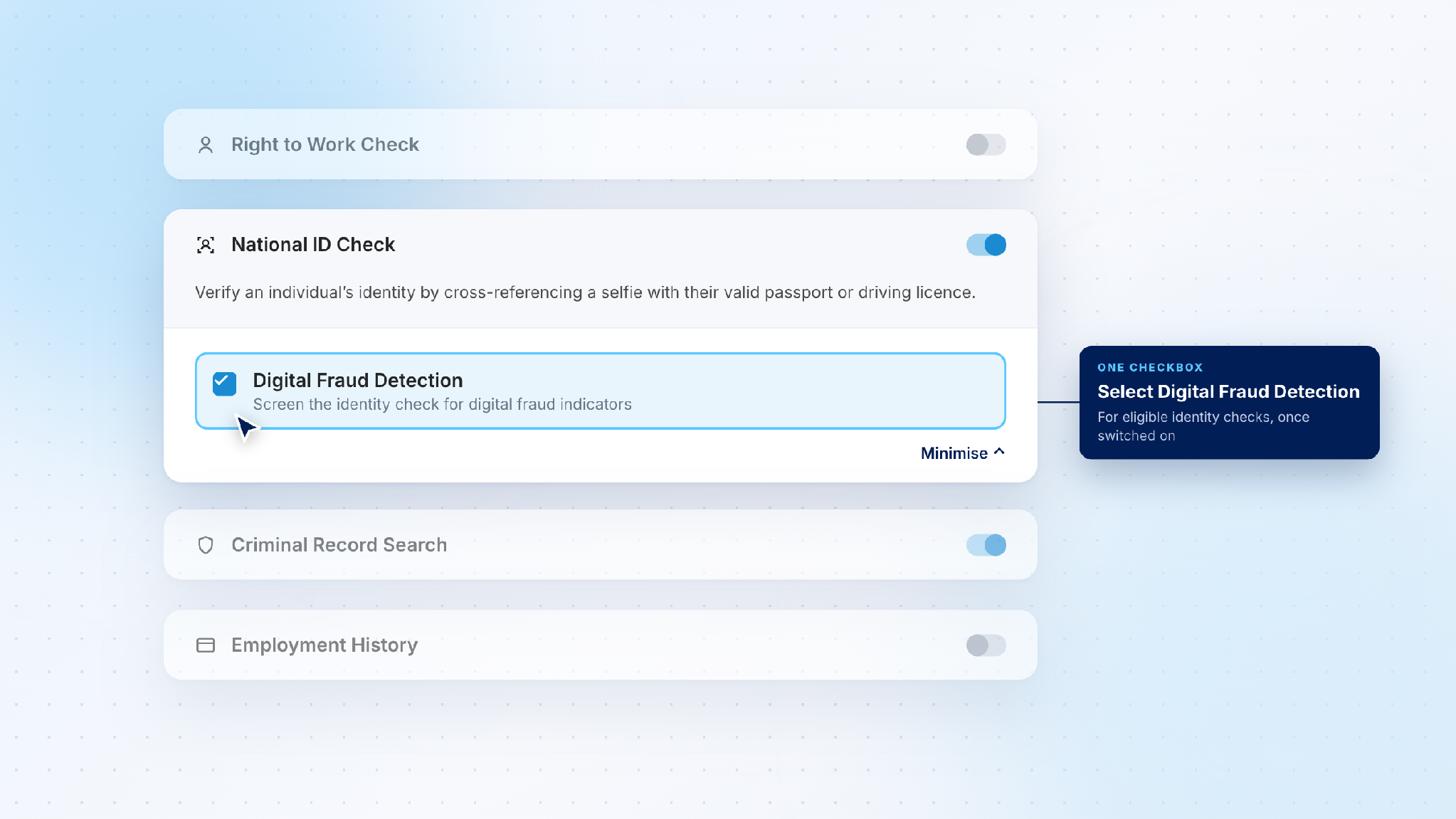
The National ID Check in the criteria builder with Digital Fraud Detection ticked
2. The candidate completes their identity check as usual
There is nothing extra for the candidate to do. Digital Fraud Defender screens the identity check they already complete: a photo of their document and a short selfie check.
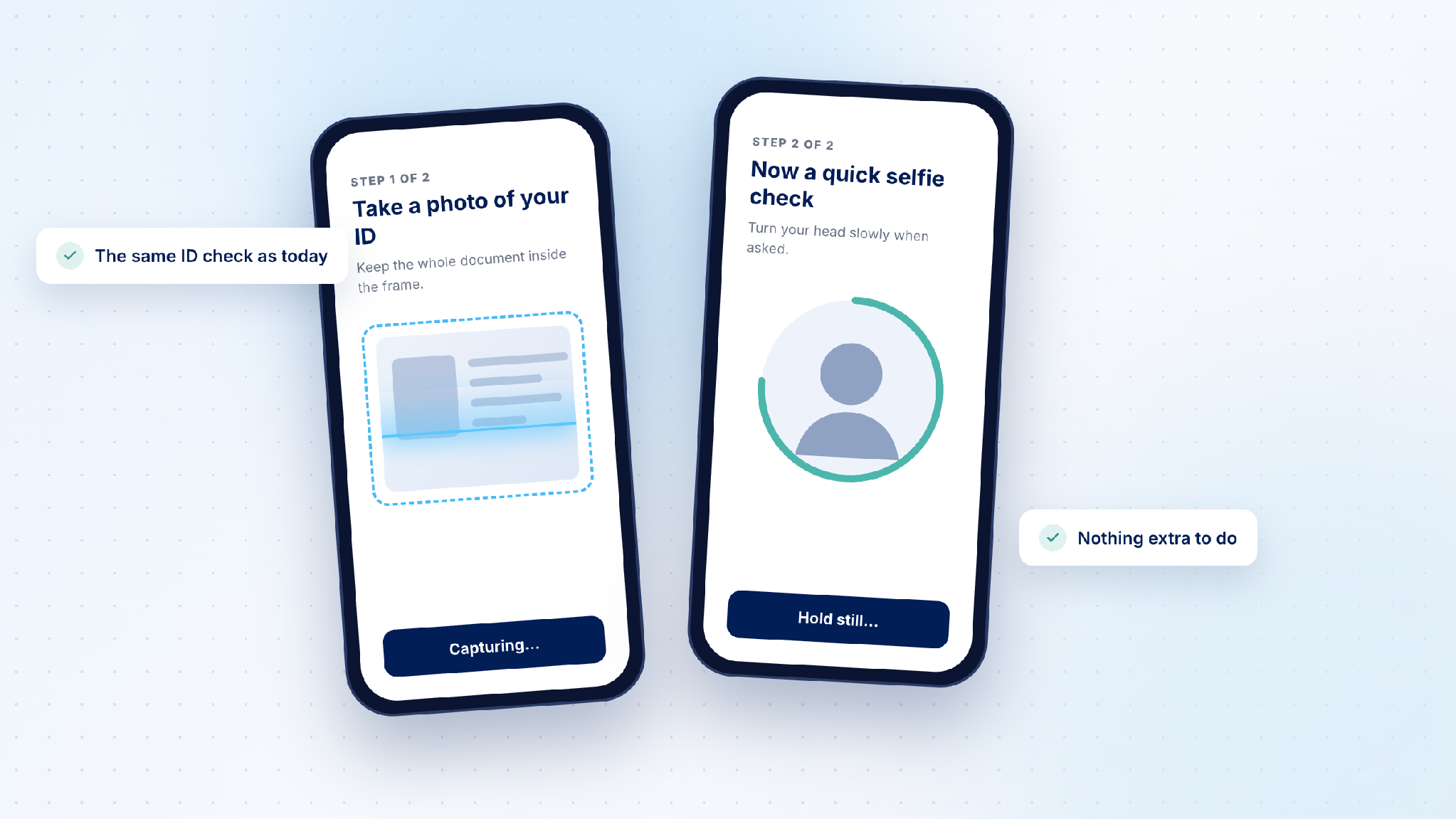
The candidate's identity check on a phone: a photo of their ID, then a selfie check
3. Review the signals alongside the identity result
When the check comes back, the Digital Fraud Detection result sits within the identity check result on the request. It shows a risk level, a recommendation, and each signal that was raised, explained in plain words.
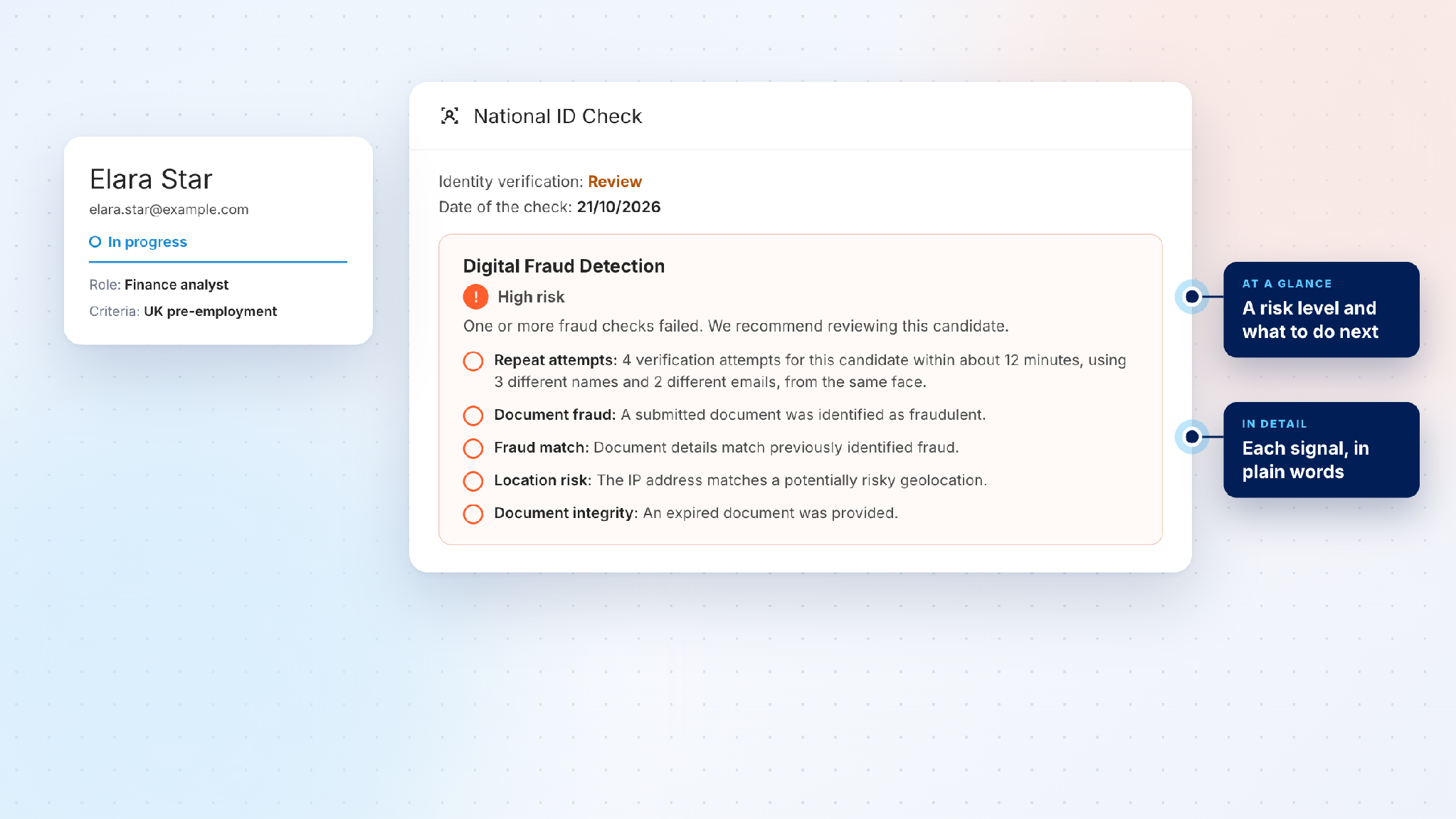
A request showing the National ID Check result with a Digital Fraud Detection section marked High risk and the signals behind it
Your team then decides what happens next, through the review and escalation process you already follow.
Why it matters
Digitally manipulated and AI-generated identity content is a growing challenge for anyone verifying people remotely, because a fake document now only has to pass a quick look on a screen. Digital Fraud Defender gives your reviewers more information at that moment, so a submission that looks fine on the surface but carries warning signs gets a second look.
There is nothing new for your team to learn. The signals arrive where they already review identity results, in the workflow they already use.
Good to know
- Your team stays in charge of the decision. Digital Fraud Defender supports review decisions and does not guarantee detection of all fraud.
- It is switched on per organisation. Once it is on, it is available on eligible identity checks.
How do I get it?
Speak to your Veremark account team about availability, activation and pricing. New to Veremark? Talk to our team.



FAQs

This depends on the industry and type of role you are recruiting for. To determine whether you need reference checks, identity checks, bankruptcy checks, civil background checks, credit checks for employment or any of the other background checks we offer, chat to our team of dedicated account managers.
Many industries have compliance-related employment check requirements. And even if your industry doesn’t, remember that your staff have access to assets and data that must be protected. When you employ a new staff member you need to be certain that they have the best interests of your business at heart. Carrying out comprehensive background checking helps mitigate risk and ensures a safer hiring decision.
Again, this depends on the type of checks you need. Simple identity checks can be carried out in as little as a few hours but a worldwide criminal background check for instance might take several weeks. A simple pre-employment check package takes around a week. Our account managers are specialists and can provide detailed information into which checks you need and how long they will take.
All Veremark checks are carried out online and digitally. This eliminates the need to collect, store and manage paper documents and information making the process faster, more efficient and ensures complete safety of candidate data and documents.
In a competitive marketplace, making the right hiring decisions is key to the success of your company. Employment background checks enables you to understand more about your candidates before making crucial decisions which can have either beneficial or catastrophic effects on your business.
Background checks not only provide useful insights into a candidate’s work history, skills and education, but they can also offer richer detail into someone’s personality and character traits. This gives you a huge advantage when considering who to hire. Background checking also ensures that candidates are legally allowed to carry out certain roles, failed criminal and credit checks could prevent them from working with vulnerable people or in a financial function.
Trusted by the world's best workplaces




APPROVED BY INDUSTRY EXPERTS
.png)
.png)


and Loved by reviewers


Transform your hiring process
Request a discovery session with one of our background screening experts today.