
Issue 03 - More visibility, less manual work


This round is about two things: seeing your screening data without waiting on a report, and taking manual steps off your team. The headline is a self-serve Analytics Dashboard you can shape yourself. Around it sit four updates that automate DBS, simplify the directorship check, sharpen Vital4 reports, and get RMI branding right without any manual work.
Note: Product interface images in this article are illustrative concepts to show how features work, not screenshots of the live platform.
1) The Analytics Dashboard: your screening data on demand
What this unlocks
An on-demand view of your screening, scoped to your own account, plus the ability to build your own tiles for any metric you care about. No report request, no wait.
What changed
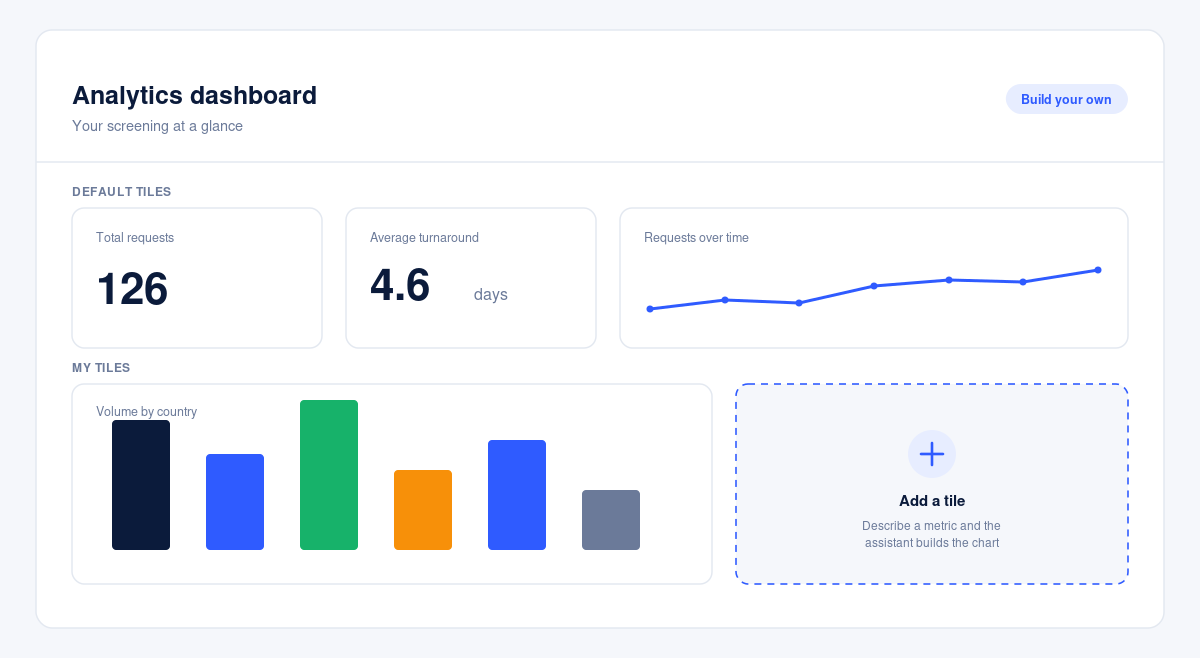
Client admins now see an Analytics section in the platform. Open it and a default dashboard loads straight away, covering request volumes, turnaround times, country spread and order status. Switch on edit mode to add your own tiles: pick a metric and how to break it down, or describe what you want in plain English and an assistant builds the chart for you to review and save. You can arrange the dashboard around how your team works, and export the whole thing to PDF. Archived orders are included, so your historical view stays complete.
Why it matters
A small reporting question used to become a ticket, then a wait, then a follow-up. This removes that wait for the questions you ask most often, and makes audit-ready reporting more straightforward.
How it works
Open Analytics, click Edit Dashboard, then Add tile. Choose your metric, breakdown and date range from the menus, or describe what you want and let the assistant build it. Review the chart and save. Your custom tiles and layout save to your account for next time.
A quick scenario
You want to see how turnaround varies by country across the year. Choose Average Turnaround, break it down by Country, set it to a monthly trend for this year, and the assistant builds the chart. Save the tile, save the dashboard, and it is there whenever you open Analytics. The whole thing takes under a minute.
2) Automated Standard and Enhanced DBS with Chexx (coming soon)
What this unlocks
Faster, more reliable Standard and Enhanced DBS checks, with less manual work behind the scenes.
What changed
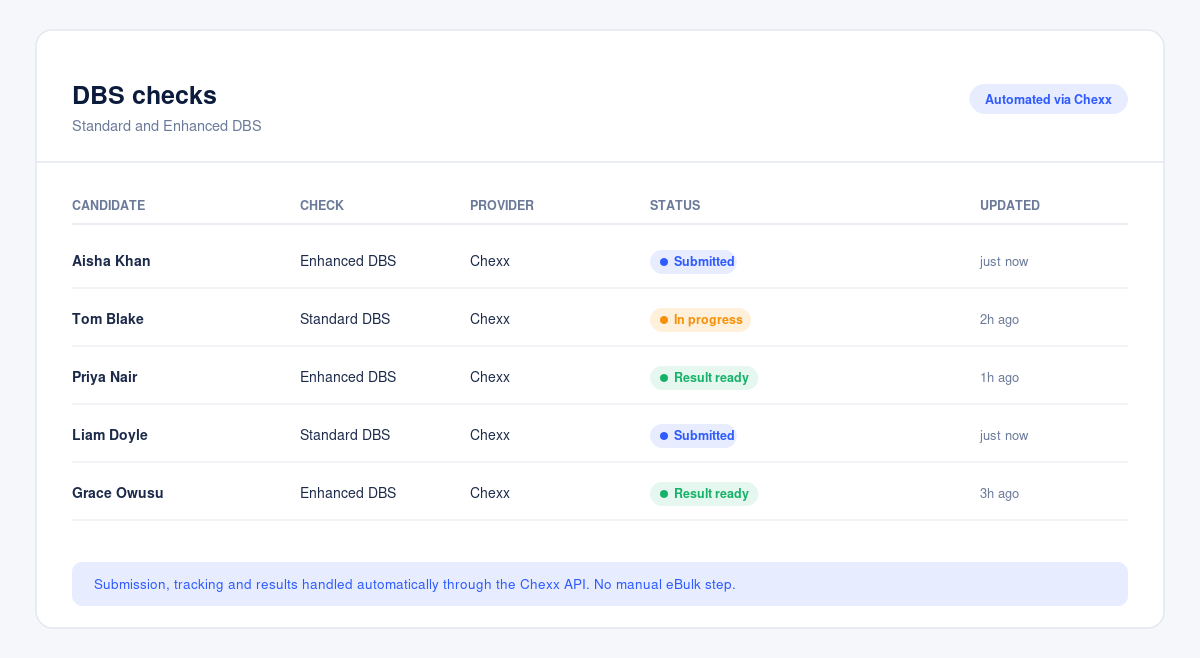
We are integrating with a new provider, Chexx, whose API automates submission, tracking and retrieval of DBS results. This replaces the manual eBulk workflow and the UCheck route, and leaves the HooYu ID step unchanged.
Why it matters
Automation reduces the manual load on our ops team, moves DBS onto a more modern and stable workflow, and speeds up turnaround for you.
How it works
There is nothing to change on your side. Testing is complete and we are finishing the final release step, so this one is rolling out shortly. Your customer success manager can flag when it is live for your checks.
A quick scenario
If Standard or Enhanced DBS is part of your packages, expect the same check with a faster, steadier turnaround once the automated workflow is live.
3) A cleaner directorship check
What this unlocks
A single workflow with one decision point, and a clean, reportable outcome with documentation attached.
What changed
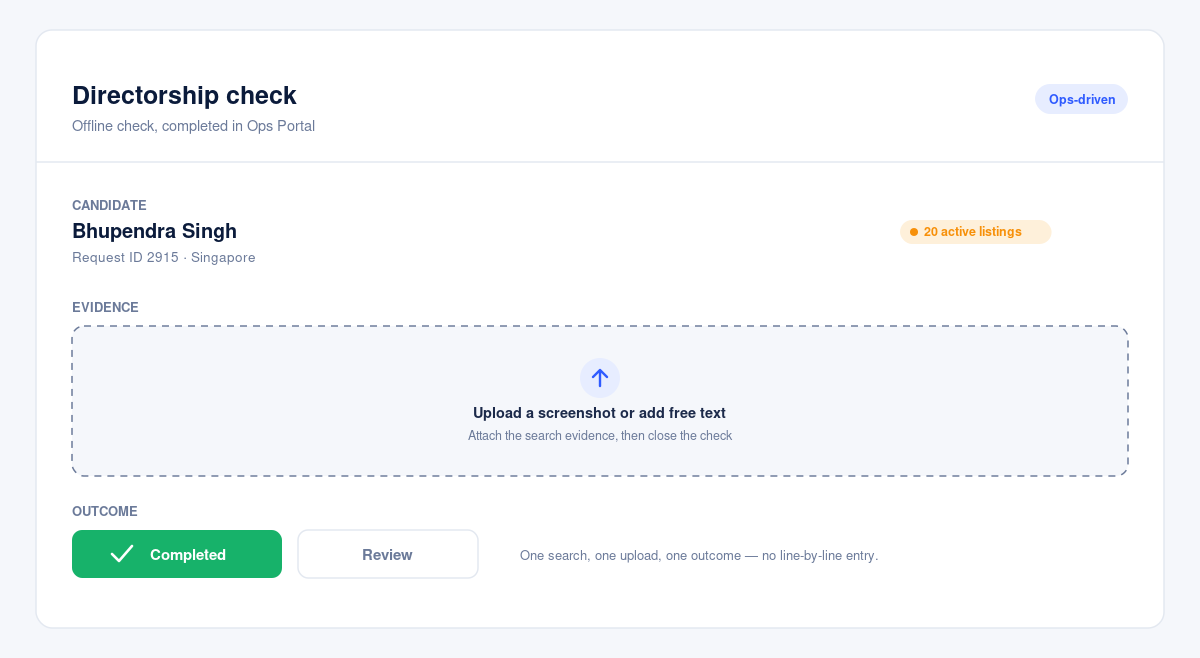
Directorship has moved off OneForm and now runs as a fully ops-driven offline check inside our Ops Portal. Our team runs the search, uploads the evidence as a screenshot or free text, and closes the check with a single outcome of Completed or Review.
Why it matters
Ops no longer enter undisclosed listings line by line, and candidates lose a step on a question they often could not answer accurately anyway. You get a clean, reportable result the way every offline check should look.
A quick scenario
A single candidate can return twenty active directorship listings. Each one used to need a separate manual entry. Now it is one search, one upload, one outcome.
4) Clearer Vital4 reports, fewer false positives
What this unlocks
Vital4 reports that are easier to review, with fewer false positives.
What changed
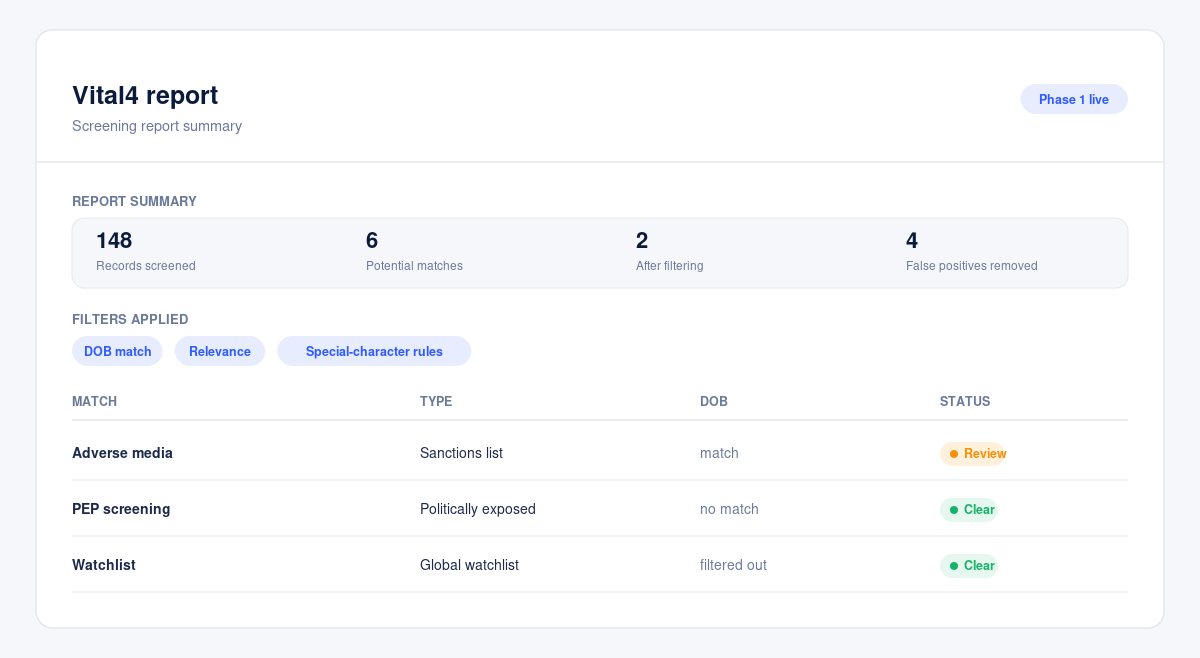
Phase 1 is live. Reports now include a new summary section, with clearer screening outputs and tighter filtering on dates of birth and relevance. Alias and name handling is stricter too, blocking numeric-only and placeholder entries while continuing to allow valid non-Latin character sets.
Why it matters
Better filtering and summaries improve visibility of screening outputs and reduce review effort, with more accurate handling of special characters and dates of birth.
What's next
A Vital4 monitoring feature is next on the roadmap. Watch this space.
5) Correct branding on RMI reports, automatically
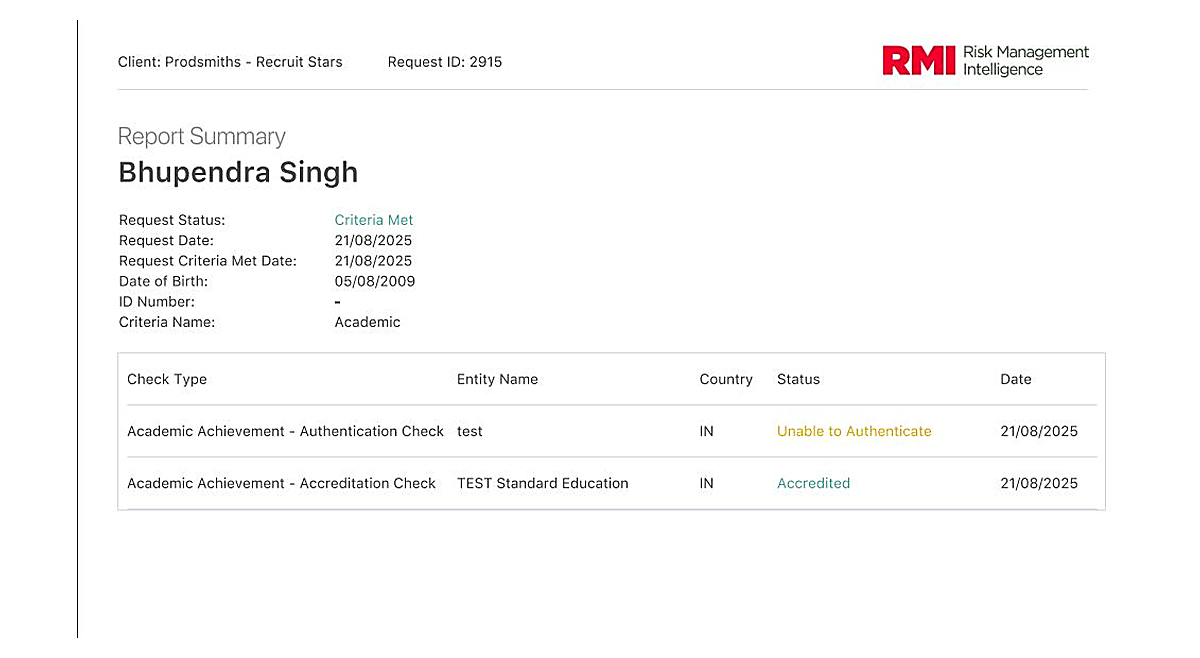
What this unlocks
Consistent RMI branding across every report under an RMI account, with no per-check intervention.
What changed
There is a new account-level RMI setting. Turn it on and every report inherits the RMI logo on the branded PDF and an RM-prefixed reference number in the RMXXXXXXX format on the MOM verification reference.
Why it matters
MOM checks are the immediate priority, but the setting governs every report generated under an RMI-flagged account, not just MOM. That keeps ops out of manual rework and gives the account a consistent branded report across check types.
What we are watching
Across these updates the question stays the same: do you get to the answer with fewer interruptions, and does your team spend less time on work a system could do instead? If a reporting question still means raising a request, or a step in a check still creates a manual task on your side, that is the best hint for where we look next.
Need a hand
If you want a walkthrough of the Analytics Dashboard, the RMI setting switched on for your account, or a view on where the DBS automation fits your packages, reach out to your customer success manager.



FAQs

This depends on the industry and type of role you are recruiting for. To determine whether you need reference checks, identity checks, bankruptcy checks, civil background checks, credit checks for employment or any of the other background checks we offer, chat to our team of dedicated account managers.
Many industries have compliance-related employment check requirements. And even if your industry doesn’t, remember that your staff have access to assets and data that must be protected. When you employ a new staff member you need to be certain that they have the best interests of your business at heart. Carrying out comprehensive background checking helps mitigate risk and ensures a safer hiring decision.
Again, this depends on the type of checks you need. Simple identity checks can be carried out in as little as a few hours but a worldwide criminal background check for instance might take several weeks. A simple pre-employment check package takes around a week. Our account managers are specialists and can provide detailed information into which checks you need and how long they will take.
All Veremark checks are carried out online and digitally. This eliminates the need to collect, store and manage paper documents and information making the process faster, more efficient and ensures complete safety of candidate data and documents.
In a competitive marketplace, making the right hiring decisions is key to the success of your company. Employment background checks enables you to understand more about your candidates before making crucial decisions which can have either beneficial or catastrophic effects on your business.
Background checks not only provide useful insights into a candidate’s work history, skills and education, but they can also offer richer detail into someone’s personality and character traits. This gives you a huge advantage when considering who to hire. Background checking also ensures that candidates are legally allowed to carry out certain roles, failed criminal and credit checks could prevent them from working with vulnerable people or in a financial function.
Trusted by the world's best workplaces




APPROVED BY INDUSTRY EXPERTS
.png)
.png)


and Loved by reviewers


Transform your hiring process
Request a discovery session with one of our background screening experts today.